Seedance 2.0 Prompt Guide
Master the art of prompting to create stunning AI-generated videos. This guide covers prompt techniques, multimodal references, and real-world examples for Seedance 2.0 (also applicable to Seedance 2.0 Fast).
Table of Contents
01 General Tips
1.1 Basic Prompt Formula
Seedance 2.0 deeply follows natural language logic, so you can flexibly combine the following elements based on your needs.
Subject
The logical foundation of your prompt — clearly define WHO is performing WHAT action.
Motion
The logical foundation of your prompt — clearly define WHO is performing WHAT action.
Environment
Describe the spatial background, lighting details, or a specific visual style to set the overall tone.
Aesthetics
Describe the spatial background, lighting details, or a specific visual style to set the overall tone.
Camera
Use camera choreography or ambient sound effects for immersive audiovisual output.
Audio
Use camera choreography or ambient sound effects for immersive audiovisual output.
1.2 Multimodal Reference Control
Beyond text descriptions, you can also "feed" reference materials to lock in the ideal standard for your visuals. Seedance 2.0 supports deep referencing of images, audio, and video.
Clearly Specify References
In your prompt, clearly specify what to reference — e.g., "use the composition from Image 1" or "follow the action from Video 2".
Precise Reproduction
The model automatically extracts core features from reference objects and combines them with your text description, ensuring high fidelity and creativity in the output.
02 Text in Video
Seedance 2.0 supports generating text overlays in T2V (text-to-video), I2V (image-to-video), R2V (reference-to-video), and V2V (video-to-video) scenarios. The model can automatically match appropriate styles and colors based on context, and also supports specifying text color, style, appearance method, timing, and position in your prompt. Use common characters and avoid rare characters or special symbols for best results.
2.1 Slogan / Title Text
Seedance 2.0 can automatically match appropriate text styles based on context. For stricter text appearance requirements, refer to section 3.2 Multi-image Reference > Logo Reference.
Animated Slogan with Product
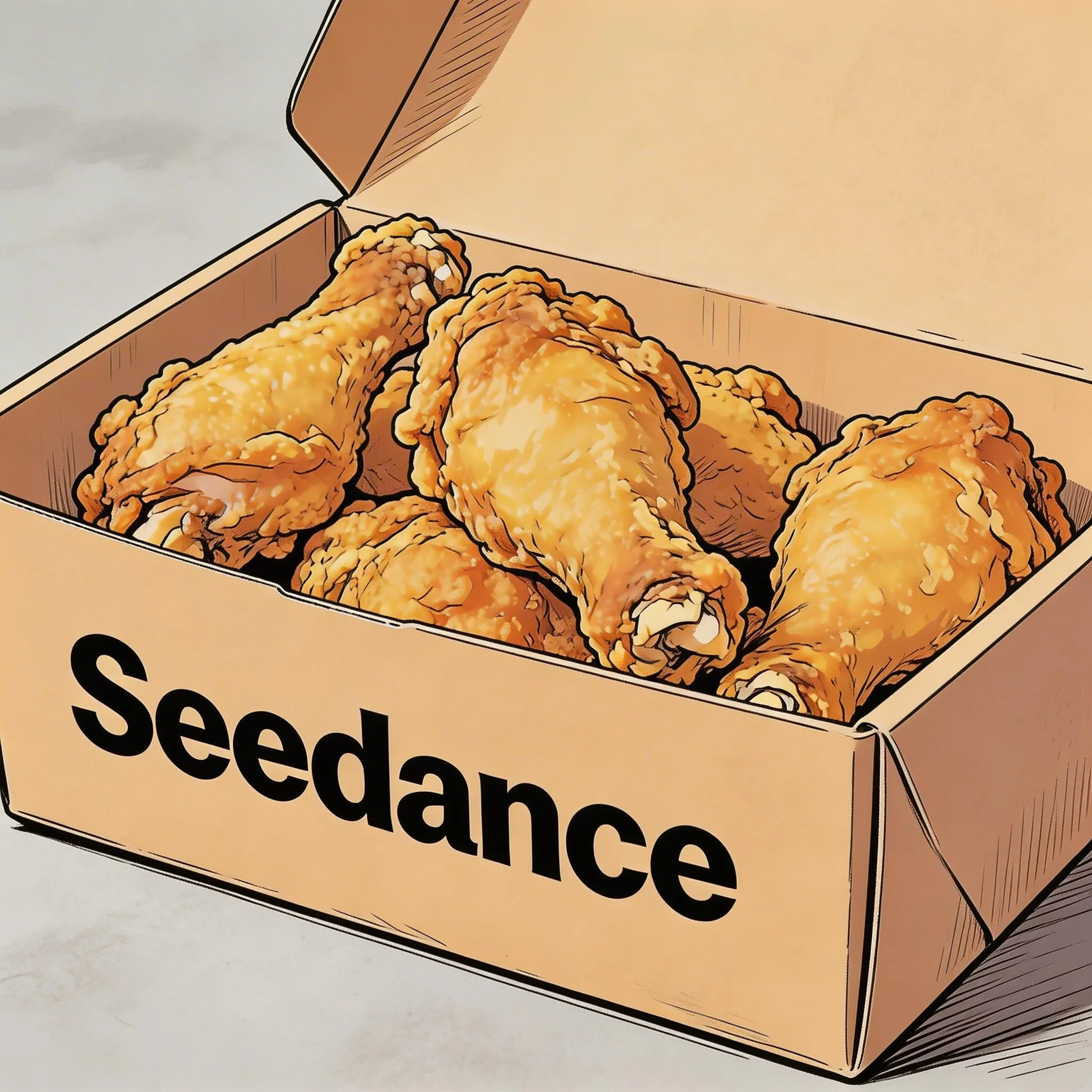
Image 1
Prompt
Hand-drawn comic style, three people sitting together eating the fried chicken from Image 1, the atmosphere is friendly and joyful, then the scene gradually blurs, and the text "Joy is in Seedance" appears in the center of the screen.
2.2 Subtitles
Narrated Landscape with Subtitles
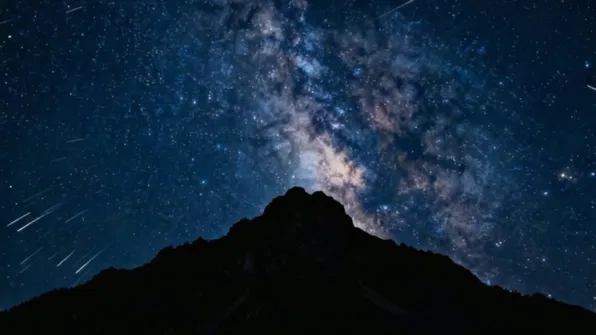
Image 1
Prompt
Generate a video with voiceover narration. A deep, calm male voice says: "In the grand universe, our world is but a fleeting moment. Yet within it, life thrives against all odds." The scene should slowly transition from night to dawn, with stars gradually fading and the sun rising behind the mountains. Subtitles appear at the bottom of the screen following the narration.
Office Conversation with Subtitles
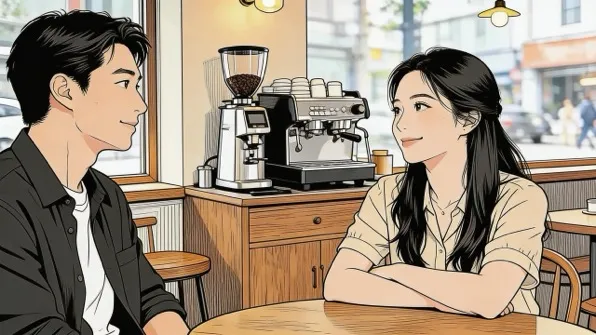
Image 1
Prompt
The two people in the image are chatting in an office. The woman speaks first, saying: "You always arrive just on time — do you enjoy that feeling of cutting it close?" The man laughs and responds: "I have my own rhythm." The dialogue is casual and natural, with subtitles appearing at the bottom of the screen matching each line.
2.3 Speech Bubbles
Campus Running Scene with Bubbles
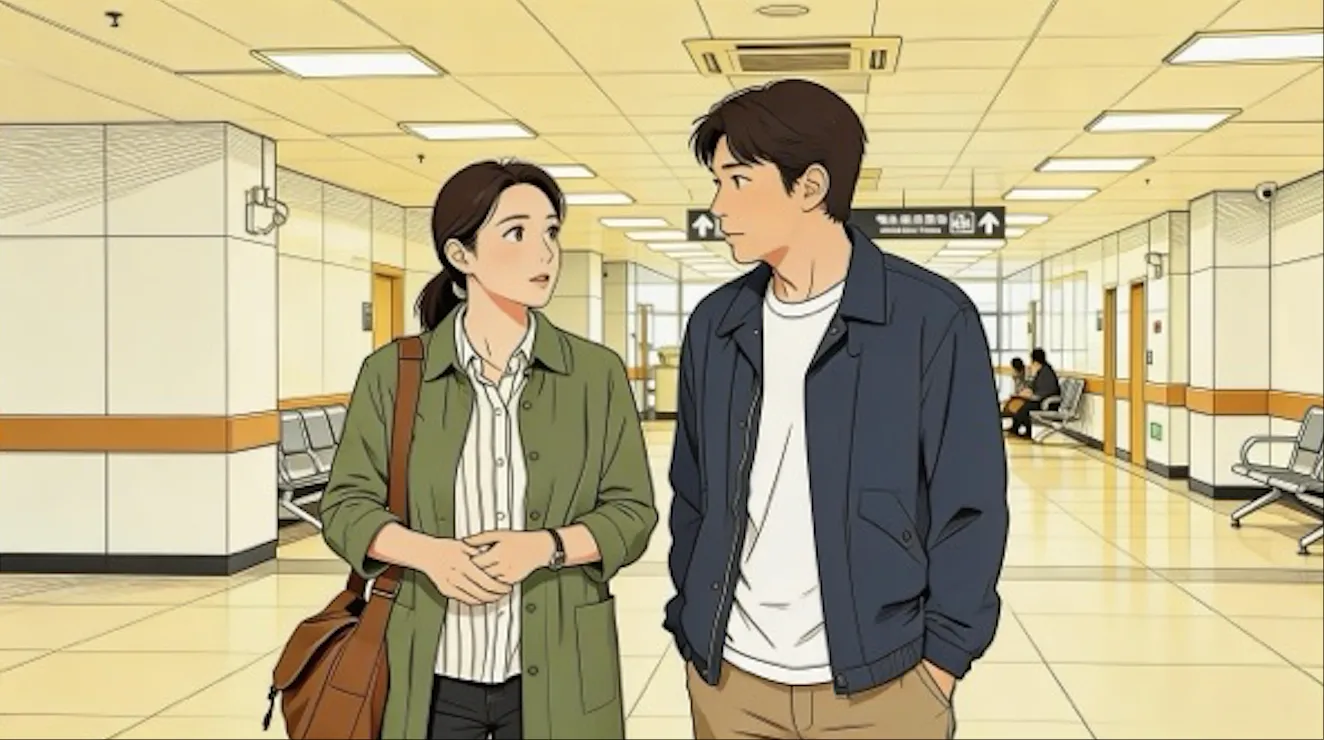
Image 1
Prompt
The two people from Image 1 are wearing sportswear and running on a school track. The girl looks at the boy and says confidently with a smile: "We can definitely do it!" The camera cuts to a close-up of the boy, who hesitates and replies: "Are you sure?" The camera cuts back to a medium close-up of the girl, who says cheerfully: "Yes!" — her tone is bright and resolute. Speech bubbles appear around each speaking character with the corresponding dialogue.
Strawberry Farm Scene with Bubble
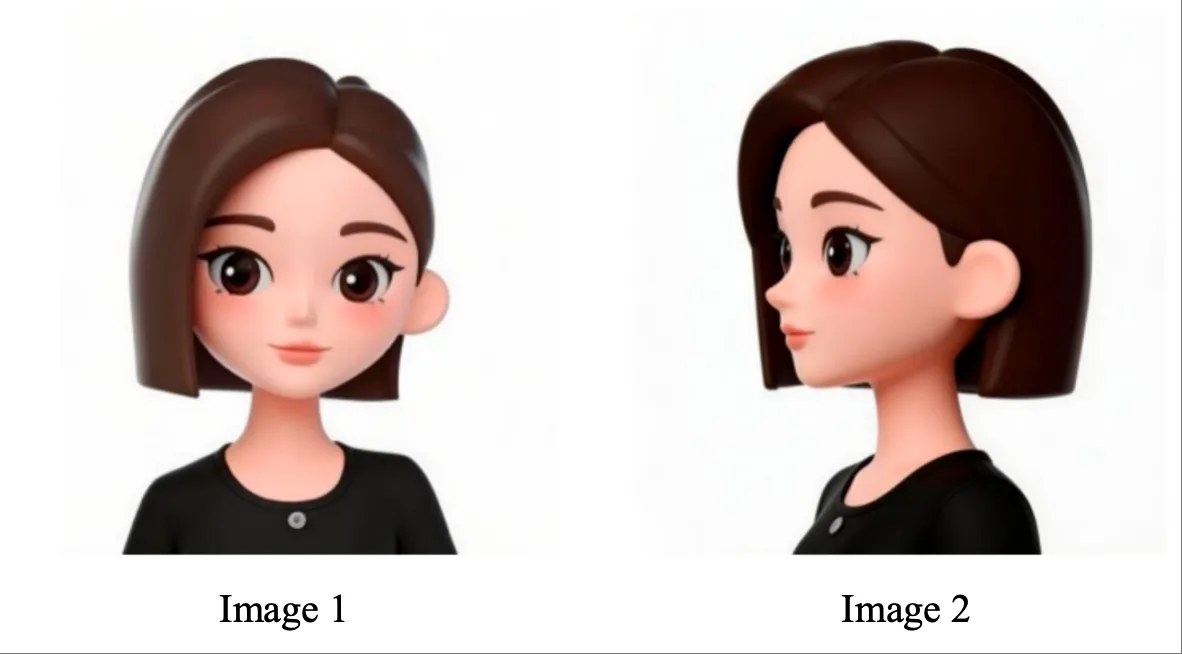
Image 1 & Image 2
Prompt
Referencing the girl's appearance from Image 1 and Image 2, the girl is in a strawberry garden, picks a strawberry, takes a bite, and says with a smile: "This is the real deal!" A speech bubble appears around the girl with the dialogue text.
03 Image Reference
Seedance 2.0 supports both multi-angle subject references and multi-image references (scene images, storyboards, etc.). When uploading images in a specific order, use Image 1, Image 2... Image N in your prompt for accurate referencing.
3.1 Multi-angle Subject Reference
Simply specify the reference object clearly and the model can respond accordingly. Here are examples for products and characters.
3C Digital Product
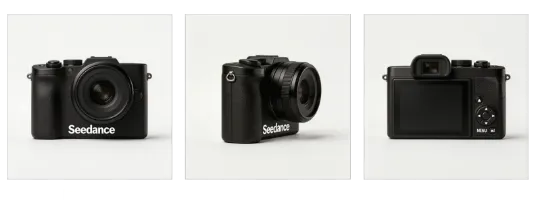
Image 1, 2, 3
Prompt
Extract the camera from Image 1, Image 2, and Image 3, replace the background with white. The camera sits on a white table, the lens focuses on the camera in close-up, then slowly rotates around the camera as the main subject, clearly showcasing the front, side, and back.
Household Items
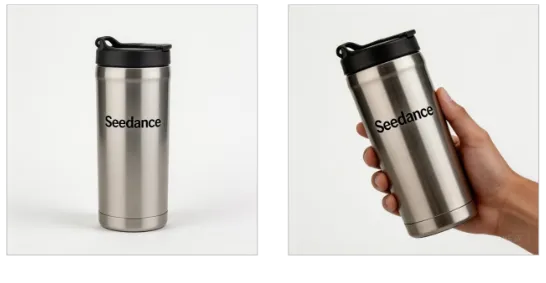
Reference Images
Prompt
The background is a warm-toned home scene. A medium shot shows the thermos bottle from the reference image. The camera smoothly pushes in to a close-up, then a hand naturally enters the frame from off-screen, gently grips the bottle and lifts it. The camera follows as the hand slightly rotates to showcase the product.
Character Reference
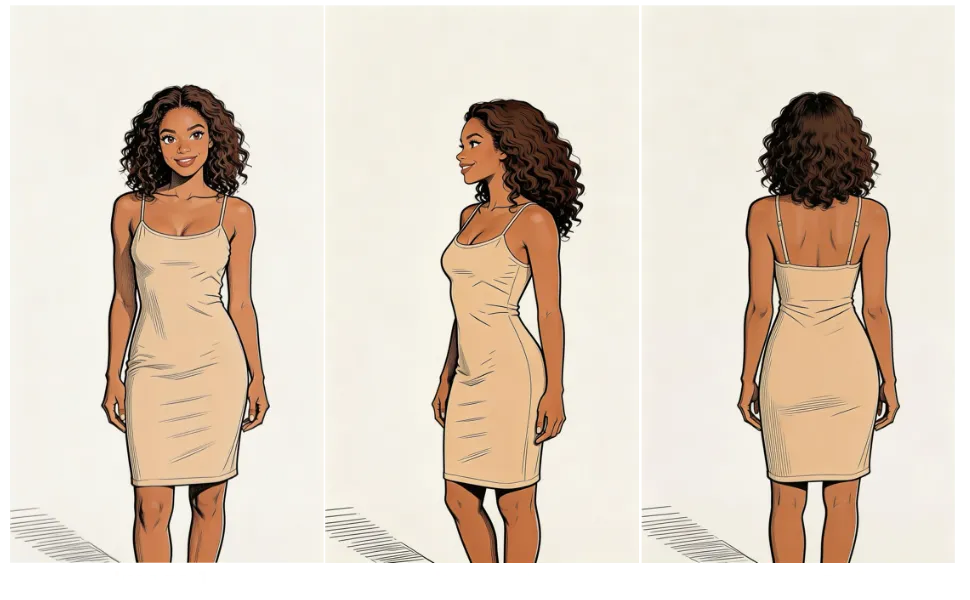
Image 1, 2, 3
Prompt
Reference the woman's appearance from Image 1, Image 2, and Image 3, generate a scene of her eating cake at a coffee shop.
3.2 Multi-image Reference
Logo Reference
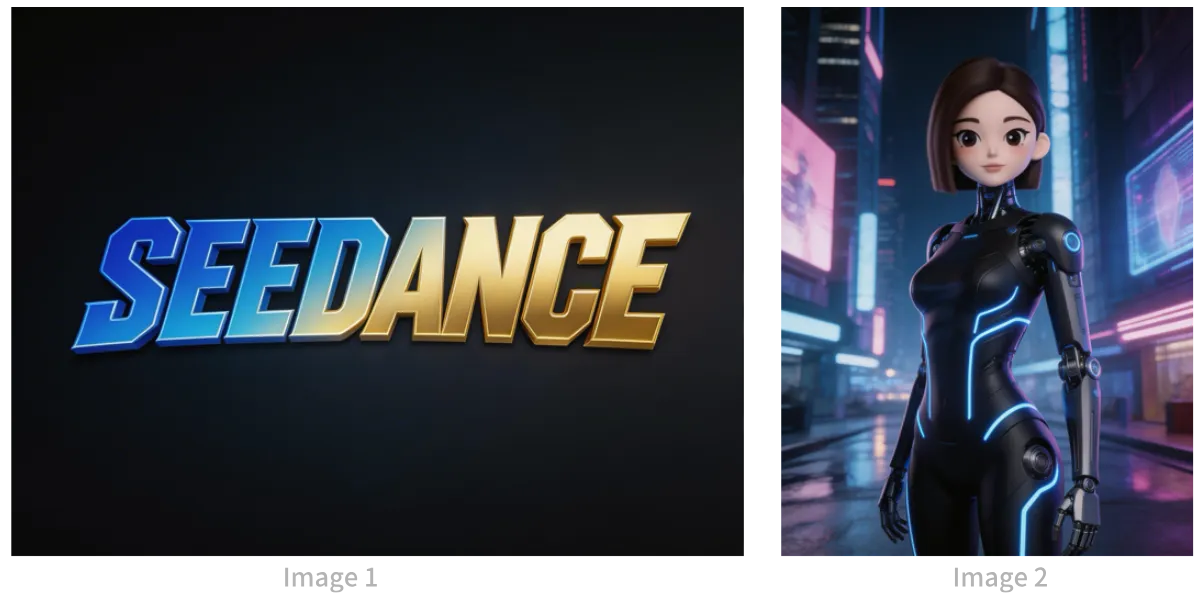
Image 1 (Logo) & Image 2 (Character)
Prompt
The background is a neon-lit futuristic urban sky corridor with vehicles and holographic ads intertwined. Reference the girl from Image 2, first use a medium shot to show the girl releasing silver floating lanterns with holographic projections, then the camera pulls back to reveal floating lanterns filling the sky. The scene gradually blurs, then the Logo from Image 1 appears. Overall style is 3D cyberpunk sci-fi animation.
Multi-subject Reference
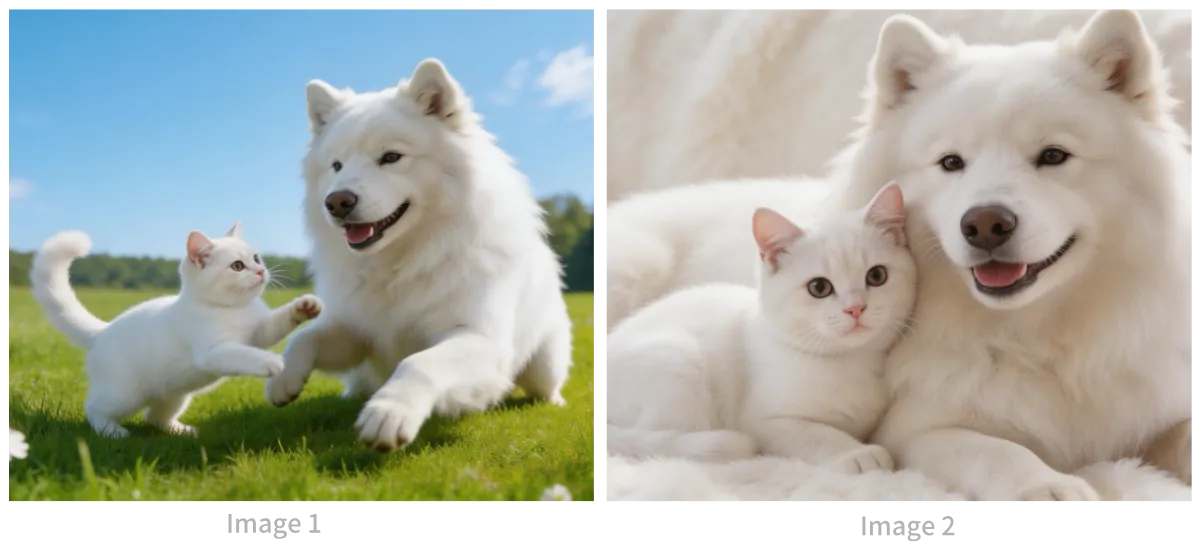
Cat & Dog Reference Images
Prompt
Reference the cat and dog from the images. In a cozy apartment, the dog is lying down eating dog food. The cat walks over and extends a paw to touch the dog. The dog stops eating when it sees the cat, and the cat snuggles up beside the dog. The scene uses warm color tones.
Multi-element Reference
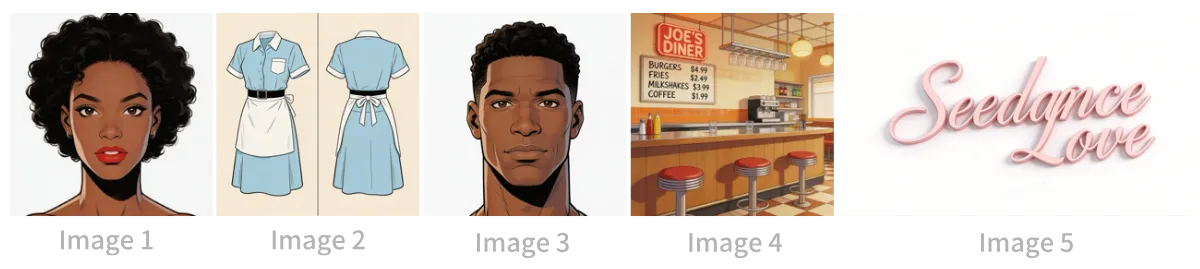
Image 1-5 (Girl, Outfit, Boy, Restaurant, Logo)
Prompt
The scene is set inside the restaurant from Image 4, with people coming and going. The girl from Image 1 is wearing the outfit from Image 2, tidying up items on the counter. The boy from Image 3 is a customer who walks up to ask the girl for her contact information. The logo from Image 5 is always displayed in the bottom-right corner of the screen.
Multi-panel Storyboard
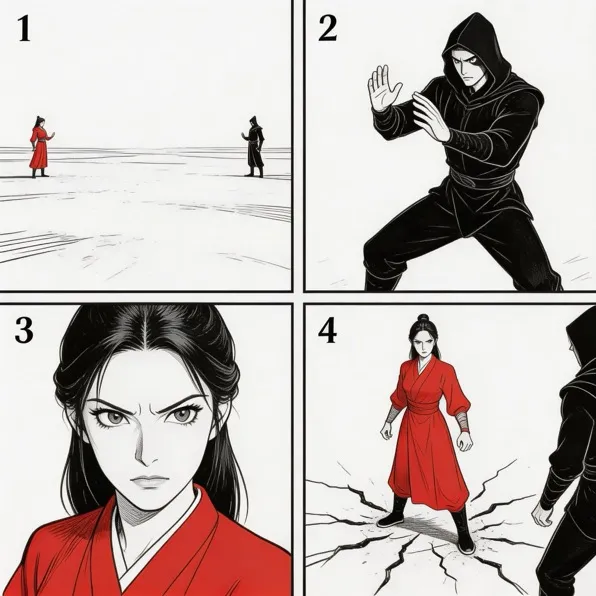
Storyboard Image
Prompt
Reference the storyboard in the image and generate an intense fight scene. Each panel's composition should appear in order, followed by an intense battle between the two characters.
Storyboard with Characters
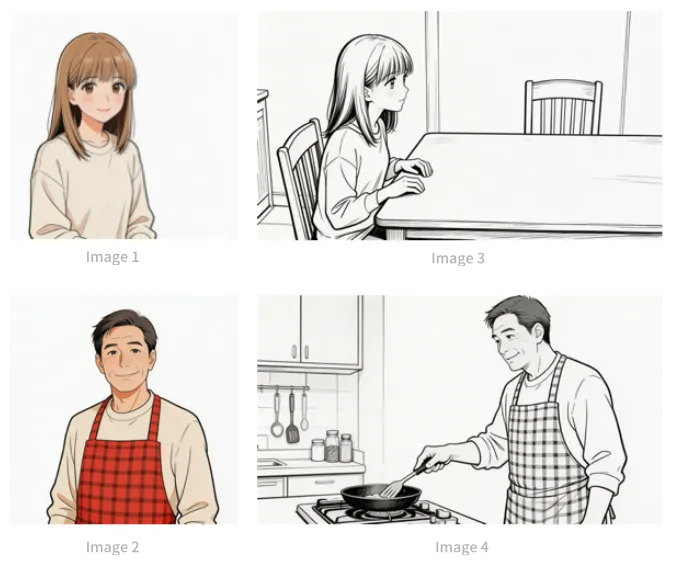
Image 1-4 (Girl, Dad, Storyboard panels)
Prompt
Follow the storyboard composition from Image 3. A girl is waiting for her dad to finish cooking. She says: "Dad, I'm hungry! Is dinner ready?" The girl's appearance references Image 1. Then the camera pans right to switch to Image 4's scene and composition. The dad's appearance references Image 2. The dad replies: "Almost done, just wait a little!" Then the camera cuts back to a close-up of the daughter looking slightly disappointed, saying: "Still not ready? It smells so good..." Then switch to a close-up of the dad saying: "It's almost done for real. Stop rushing and go wash your hands first!"
04 Video Reference
Seedance 2.0 supports video referencing. Simply specify the generated content and reference objects clearly. When uploading videos in a specific order, use Video 1, Video 2... Video N in your prompt for accurate referencing.
4.1 Action Reference
Film / Action Scene
Video 1 (Action Reference)
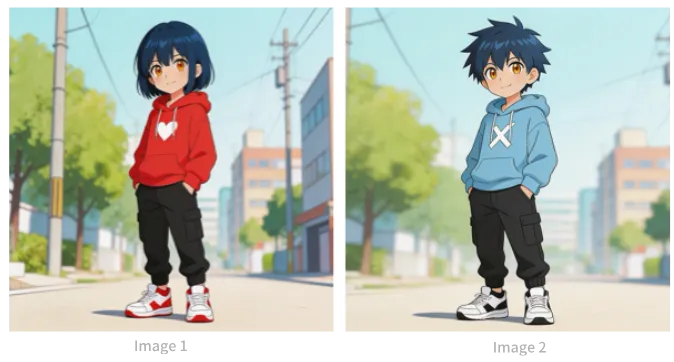
Image 1 & Image 2 (Characters)
Prompt
Reference the character actions and camera language from Video 1, generate a fight scene between Image 2 and Image 1. Image 2 is the character on the left, Image 1 is the character on the right. With intense background music.
Marketing / Product Ad
Video 1 (Horse Running)
Prompt
Reference the running form of the horse from Video 1, generate a golden horse galloping on a grassland, then freeze-frame its magnificent running pose, transforming into a horse-shaped gold pendant.
4.2 Camera Movement Reference
Tech Park Concept Video
Video 1 (Camera Reference)
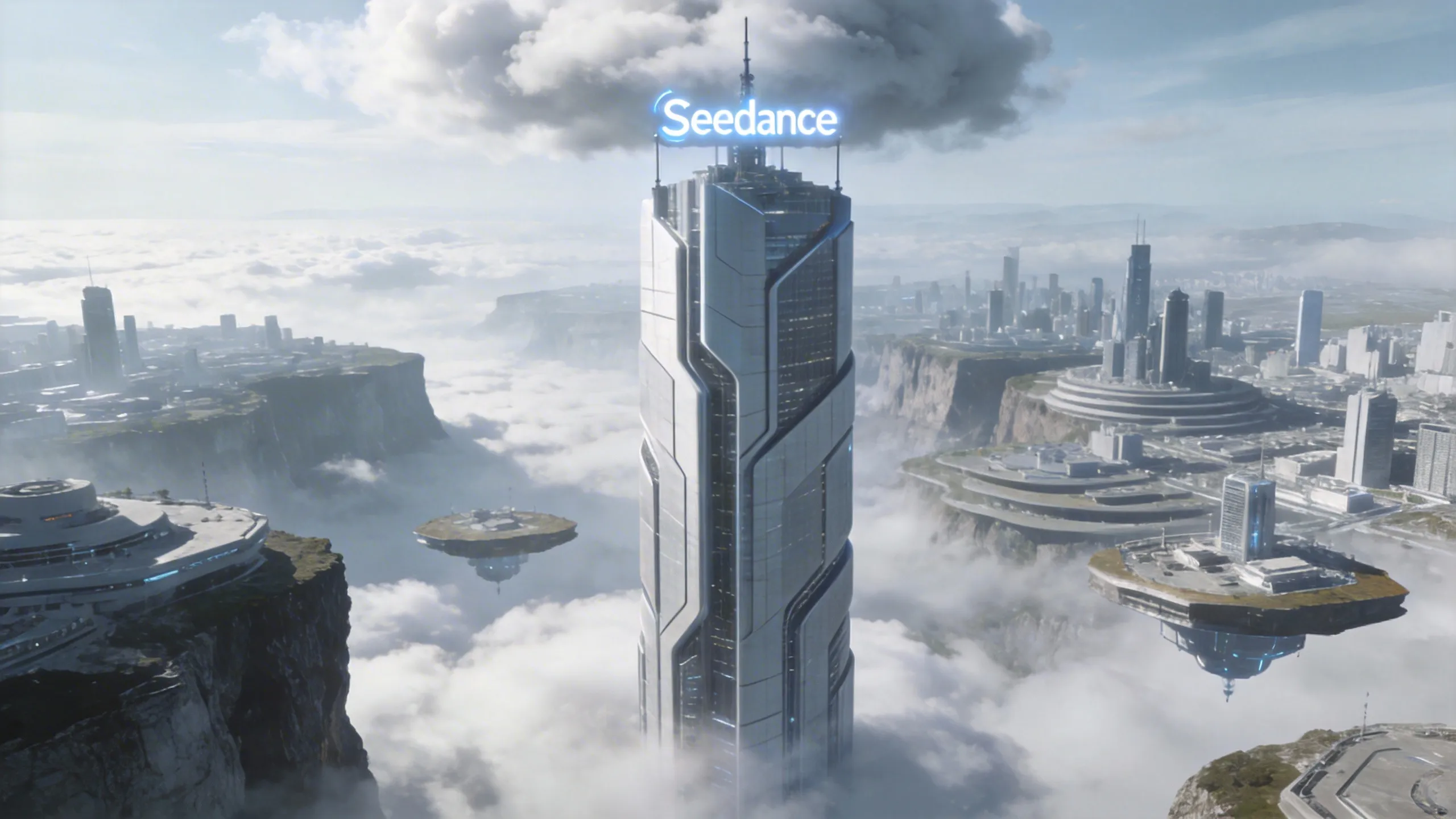
Image 1 (Tech Park)
Prompt
Reference the camera movement from Video 1 to create a concept video for a tech park. Use the high-rise building from Image 1 as the visual center, with the same first-person diving perspective, highlighting the tech aesthetic of the park in Image 1.
4.3 Effects Reference
Film / Particle Effects
Video 1 (Particle Effect)

Image 1 (Character)
Prompt
Reference the golden particle effects from Video 1, have the character from Image 2 play a flute while surrounded by the same particle effects.
Fun / Wings Effect
Video 1 (Wings Effect)
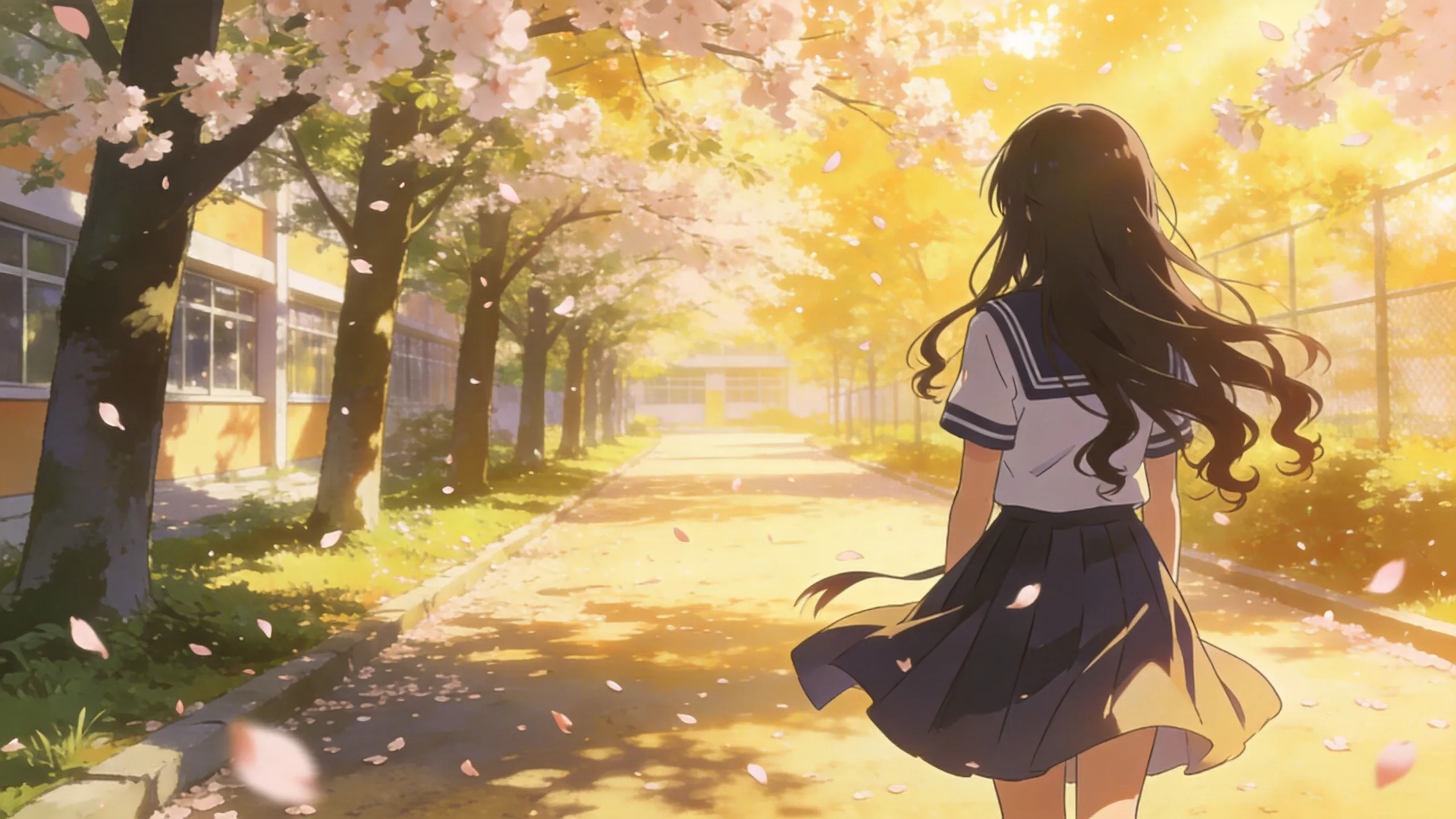
Image 1 (Girl)
Prompt
Reference the effects from Video 1 to make the girl from Image 1 grow the same wings, with the wing generation trajectory matching exactly.
05 Video Editing
Seedance 2.0 supports video editing including adding, removing, or modifying elements, extending videos forward or backward, and track completion. When uploading videos in a specific order, use Video 1, Video 2... Video N in your prompt.
5.1 Add / Remove / Modify Elements
Add Elements
Video 1 (Original)
Prompt
Add fried chicken, pizza, and other snacks on the counter in Video 1.
Remove Elements
Video 1 (Original)
Prompt
Clear the other parts and tools from the desktop in Video 1, keep the desktop clean and tidy — only the items they're holding in their hands should remain.
Modify Elements
Video 1 (Original)
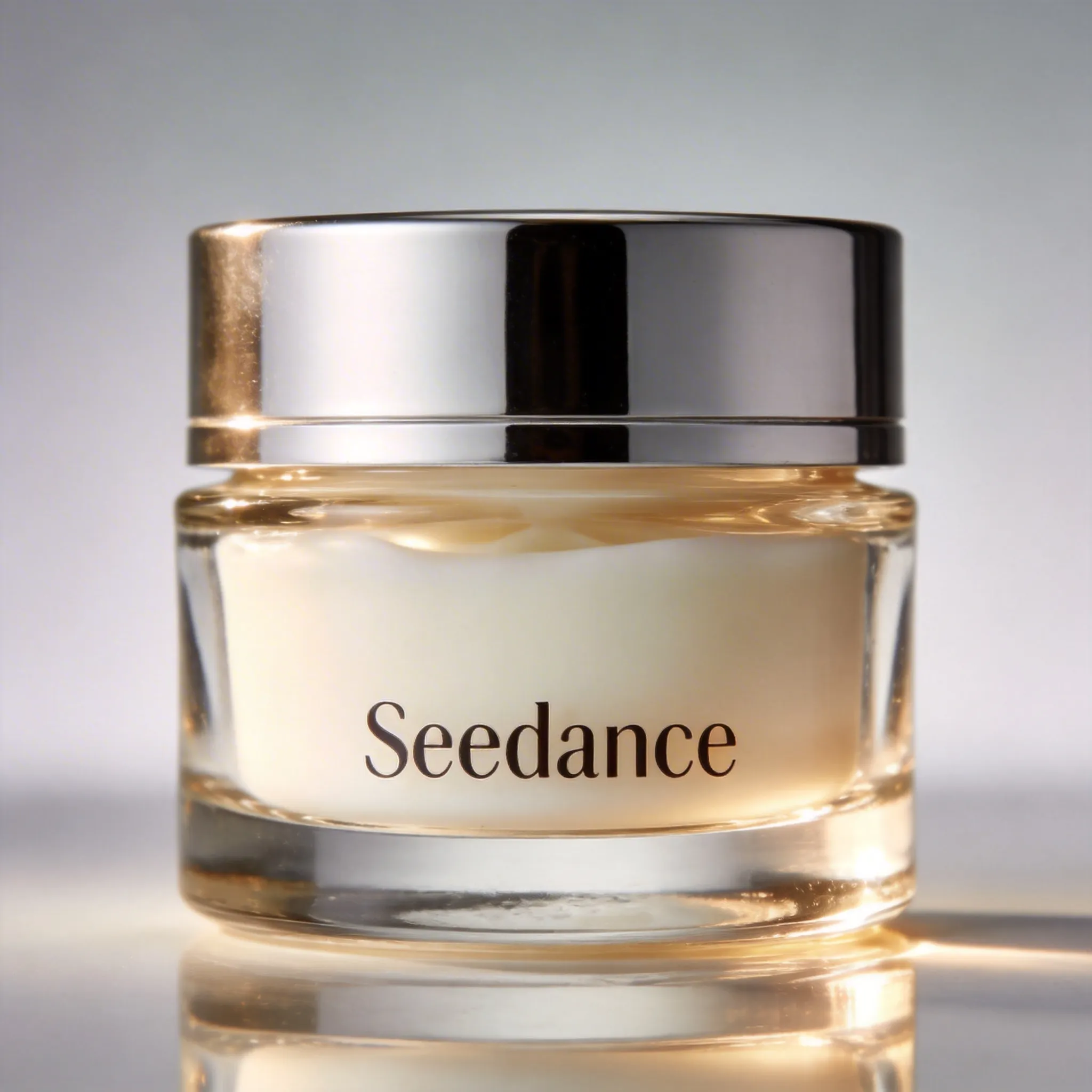
Image 1 (Face Cream)
Prompt
Replace the perfume in Video 1 with the face cream from Image 1, keeping the motion and camera movement unchanged.
5.2 Video Extension
The model automatically captures the connecting portion for seamless compositing. Original video segments will not be duplicated.
Extend Backward
Video 1 (Original)
Prompt
Generate the content after Video 1. Two late-arriving men run toward them, all five people finally meet and chat happily.
Extend Forward
Video 1 (Original)
Prompt
Extend Video 1 forward with an over-the-shoulder shot of the man in white. The man in white says: "It's not that bad. You're just stressed. Everyone goes through this, you just need to keep going."
5.3 Track Completion
Seedance 2.0 supports up to 3 video inputs with a total duration not exceeding 15 seconds. The system automatically captures the connecting portions of the first and last videos, retaining only the necessary segments for compositing.
Leaf Transition Between Scenes
Video 1
Video 2
Prompt
Video 1, at the moment the leaf touches the ground, golden particle effects burst out, a gust of wind blows, then connect to Video 2.